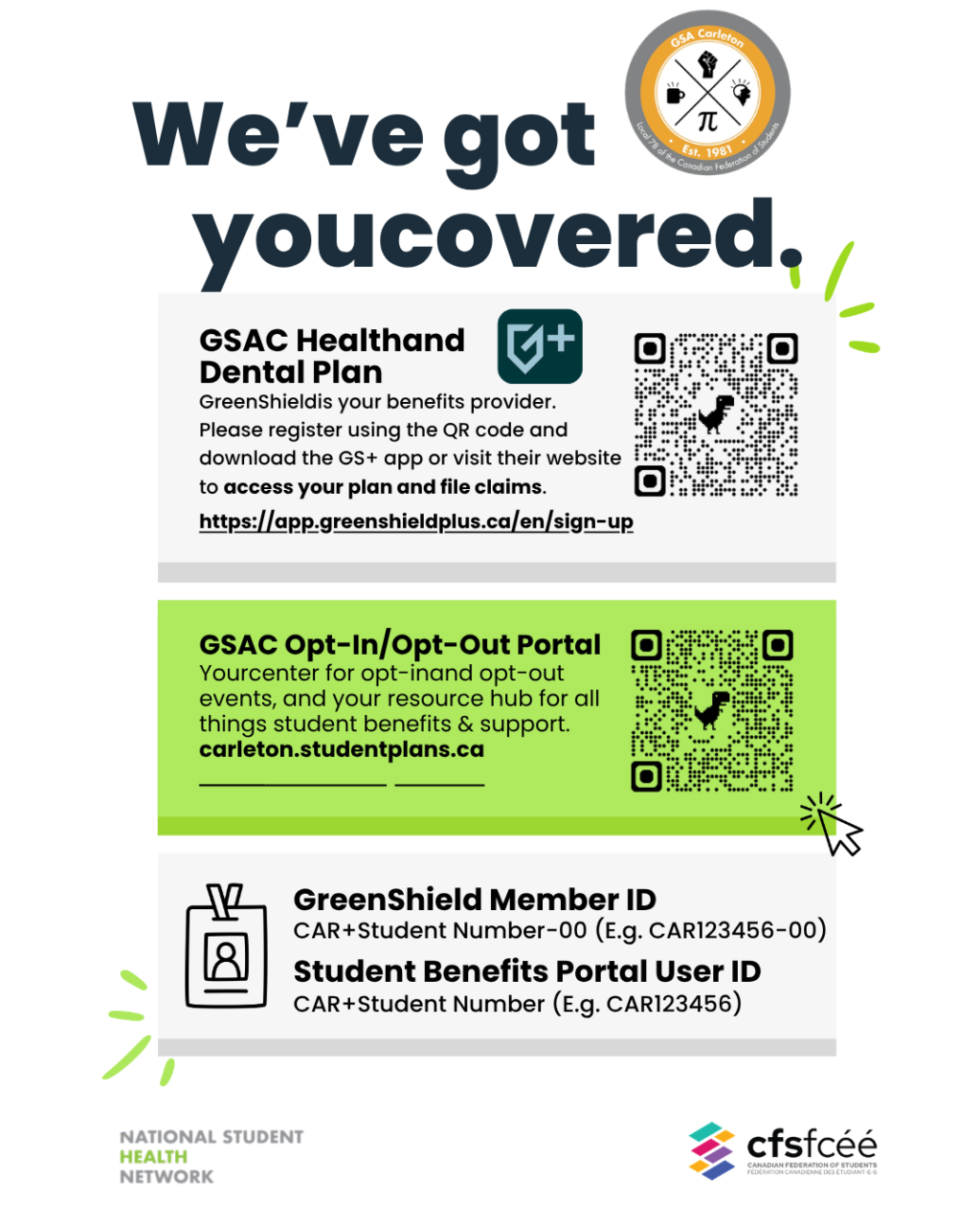
GSA Carleton Health and Dental Plan
Fall Opt-In/Opt-Out Period is Sept. 1 to Oct. 10, 2026
The Graduate Students’ Association (GSA) at Carleton University is introducing a new and improved way to manage your Student Health & Dental Plan. Beginning this year, all opt-in enrolments and opt-out requests will be completed through our new Student Benefits Portal.
This new platform, in partnership with the Canadian Federation of Students (CFS) and Student First by Prosum, will deliver a simpler, more secure and convenient experience while giving you access to important information about your student benefits coverage, programs and services, all in one place.
Fall Opt-In/Opt-Out Period: Sept. 1 to Oct. 10, 2026
What is Opt-In? If you are enrolled onto the plan (your student benefit plan premium for Single coverage is part of your tuition), you can enrol your dependents on the plan as well. If you are not enrolled in the student health and dental plan, you may be eligible to enrol yourself and your dependents by reaching out to gsacarleton@studenthealth.ca to request access to the Student Benefits Portal to complete your enrolment.
What is Opt-Out? You may be eligible to opt-out of your student health and dental plan, if you can provide proof of alternate coverage.
What You Need to Do
On the Student Benefits Portal, your opt-out and opt-in events can be viewed and completed with your secure student access. Access the Student Benefits Portal here: Carleton.studentplans.ca or scan the QR code in the image below.
When the Opt-Out and Opt-In Window Opens:
1. Visit the Student Benefits Portal and register your account.
If you are a new student and are unable to register your account, you may need to wait for an email to your student account letting you know your account is ready and that you can register. If you are not a full-time student and wish to opt-in (e.g., part-time students, co-op students, and other eligible students who are not automatically enrolled in the Plan), please contact gsacarleton@studenthealth.ca to get access to the Students Benefits Portal and complete your enrolment.
2. Review your coverage carefully.
3. If you wish to submit an opt-out request or opt-in enrolment, please do so before the above published deadlines.
4. Explore the additional resources and programs available as part of your student benefits on the Student Benefits Portal.
More About The Student Benefits Portal
The Student Benefits Portal is your new online destination for everything related to your Student Health & Dental Plan.* In addition to completing opt-in enrolment and opt-out requests, you will be able to:
- View information about your Health & Dental Plan and your coverage.
- Access important plan documents, guides, and frequently asked questions.
- Learn about the additional benefits, services, and wellness programs available to you as part of your student benefits.
- Stay informed of important updates, deadlines, and announcements related to your plan.
*Please continue to refer to GreenShield and GS+ for health and dental claim submission, claim status, benefit balances, etc.
If you have any questions, please contact GSA Executive Director Zeina Al Attar at gsacarleton@studenthealth.ca.